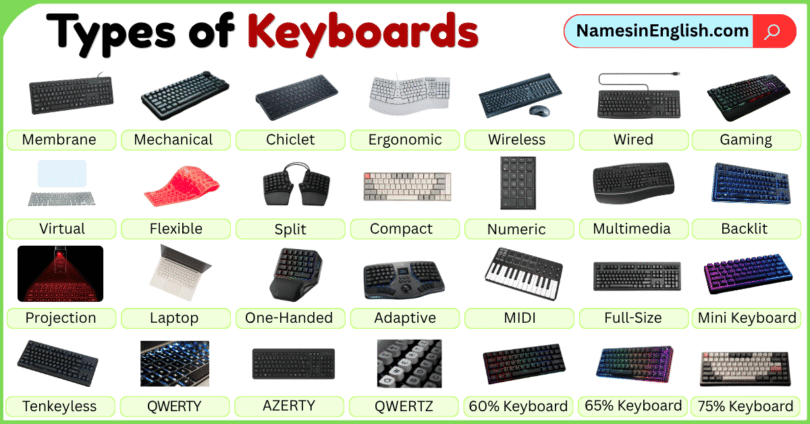

Choosing the right keyboard can make typing, gaming, studying, or working much more comfortable and efficient. From simple membrane keyboards to mechanical, wireless, ergonomic, and compact designs, keyboards come in many types, each made for different needs. In this guide, you’ll learn the types of keyboards with pictures and names in English, along with their key features and common uses. By the end, you’ll have a clear idea of how different keyboards work and which type may be best for your everyday needs.
What Is a Keyboard?
A keyboard is an input device used to enter information into a computer or another electronic device. It usually contains letter keys, number keys, function keys, control keys, and special keys. When you press a key, the keyboard sends an electrical signal to the device. The computer then interprets that signal and performs the related action. For example, when you press the A key, the letter A appears on the screen if you are typing in a text box.
Keyboards are used for:
- Typing documents
- Searching the internet
- Writing emails
- Playing games
- Entering numbers
- Using keyboard shortcuts
- Controlling software
- Programming
- Creating music
Main Types of Keyboards
There are many ways to classify keyboards. They can be grouped according to their mechanism, connection method, size, shape, purpose, or layout. Here are some common types of keyboards:
| Keyboard Type | Common Use |
|---|---|
| Membrane Keyboard | Everyday typing |
| Mechanical Keyboard | Gaming and typing |
| Chiclet Keyboard | Laptops and desktops |
| Ergonomic Keyboard | Office work |
| Wireless Keyboard | Home and office |
| Wired Keyboard | Desktops and gaming |
| Gaming Keyboard | PC gaming |
| Virtual Keyboard | Phones and tablets |
| Flexible Keyboard | Travel |
| Split Keyboard | Ergonomic typing |
| Compact Keyboard | Small desks and travel |
| Numeric Keypad | Data entry |
| Multimedia Keyboard | Entertainment |
| Backlit Keyboard | Low-light typing |
| Projection Keyboard | Portable typing |
| Laptop Keyboard | Portable computers |
| Scissor-Switch Keyboard | Laptops and slim keyboards |
| One-Handed Keyboard | Gaming and accessibility |
| Adaptive Keyboard | Accessibility |
| MIDI Keyboard | Music production |
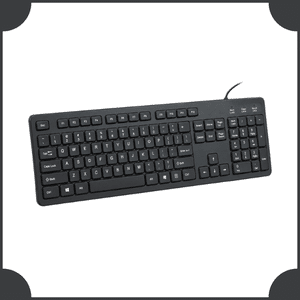
Membrane Keyboard
A membrane keyboard uses flexible membrane layers beneath its keys to register key presses. It is commonly used for everyday computer typing in homes, schools, and offices.
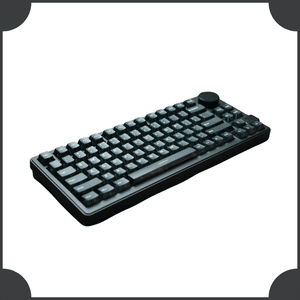
Mechanical Keyboard
A mechanical keyboard uses individual mechanical switches beneath each key to detect presses. Different switches provide different levels of tactile feedback, resistance, and sound during typing.
Chiclet Keyboard
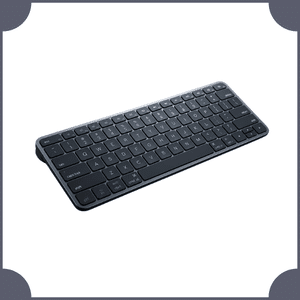
A chiclet keyboard has flat, widely separated keycaps with a simple, modern appearance. This design is commonly found on laptops and slim desktop keyboards.
Ergonomic Keyboard
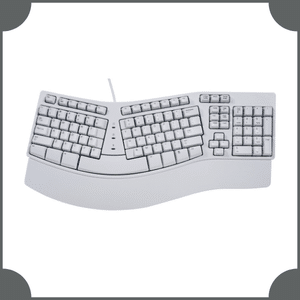
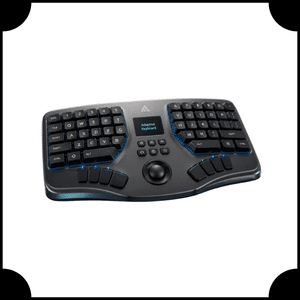
An ergonomic keyboard is designed to provide a more natural hand and wrist position while typing. It may use curved, angled, or split sections for improved comfort.
Wireless Keyboard
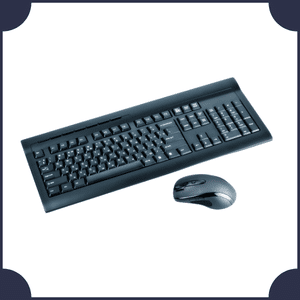
A wireless keyboard connects to a computer or compatible device without a traditional cable. It commonly uses Bluetooth or a wireless receiver to transmit typing commands.
Wired Keyboard
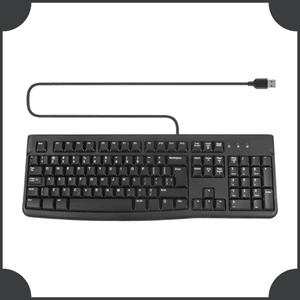
A wired keyboard connects directly to a computer or other device using a physical cable, commonly USB. It provides a simple connection without requiring keyboard batteries.
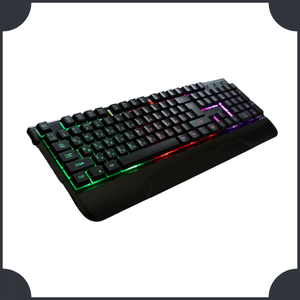
Gaming Keyboard
A gaming keyboard is designed for computer gaming and may include programmable keys, specialized layouts, backlighting, media controls, or mechanical switches for responsive gameplay.
Virtual Keyboard
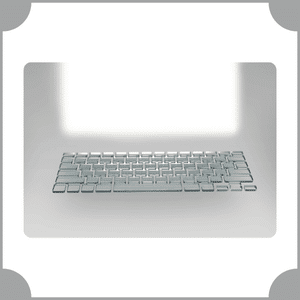
A virtual keyboard is a software-based keyboard displayed on a screen instead of using physical keys. It is commonly found on smartphones, tablets, and touchscreen devices.
Flexible Keyboard
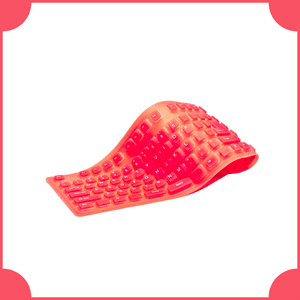
A flexible keyboard is made from bendable materials that allow it to fold or roll for easier storage and transportation. It is mainly designed for portability and convenience.
Split Keyboard
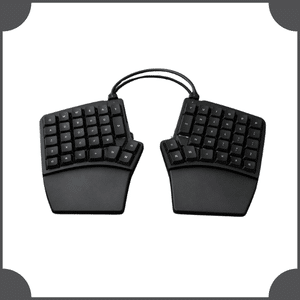
A split keyboard separates the left and right sections of a keyboard, allowing users to position their hands independently. It is commonly associated with ergonomic and comfortable typing.
Compact Keyboard
A compact keyboard has a smaller physical layout than a traditional full-size keyboard. It reduces or combines certain keys to save desk space and improve portability.
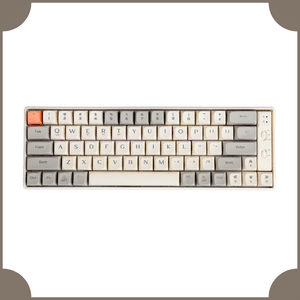
Tenkeyless Keyboard
A Tenkeyless keyboard, commonly called a TKL keyboard, removes the dedicated numeric keypad while retaining most standard typing, function, navigation, and arrow keys in a smaller design.
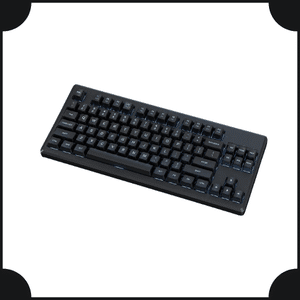
60% Keyboard
A 60% keyboard is a compact layout that mainly keeps the central typing area while removing dedicated function, navigation, and numeric keypad sections to save space.
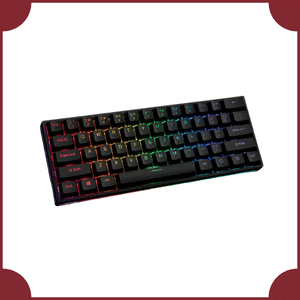
65% Keyboard
A 65% keyboard is a compact layout that retains the main typing keys and usually arrow keys while removing the dedicated function row and numeric keypad.
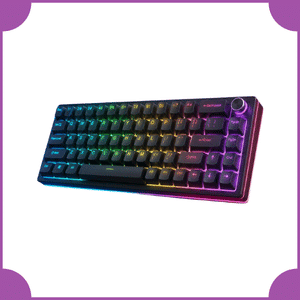
75% Keyboard
A 75% keyboard is a compact layout that keeps the main typing area and function row in a tightly arranged design, while reducing unnecessary spacing and removing the numeric keypad.
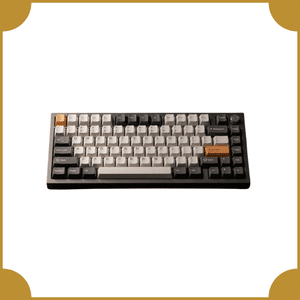
Numeric Keypad
A numeric keypad is a small input device or keyboard section containing mainly number and mathematical operation keys. It is designed for efficient numerical entry and calculations.
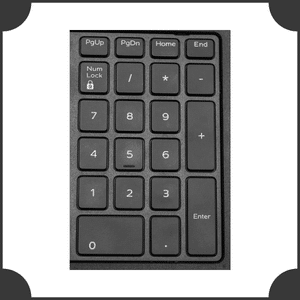
Multimedia Keyboard
A multimedia keyboard includes additional keys for controlling common media functions such as volume, mute, playback, and track selection without relying entirely on software controls.
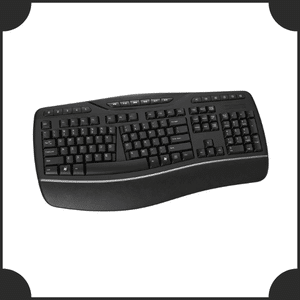
Backlit Keyboard
A backlit keyboard has built-in lighting beneath or around its keys, making key labels easier to see in darker environments. Some models also provide customizable lighting effects.
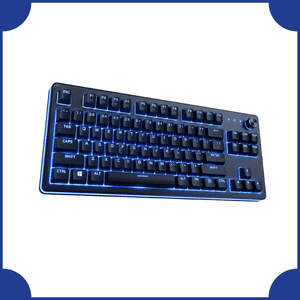
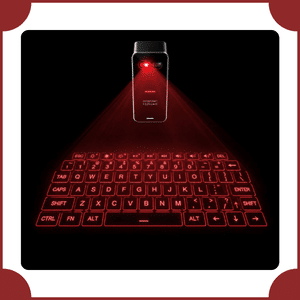
Projection Keyboard
A projection keyboard uses light to project a keyboard layout onto a flat surface while sensors detect user interactions, allowing typing without traditional physical keycaps.
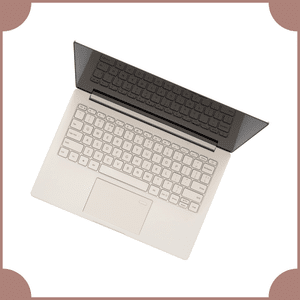
Laptop Keyboard
A laptop keyboard is a compact keyboard built directly into a laptop computer. Its design saves space while providing the essential keys needed for typing and computer control.
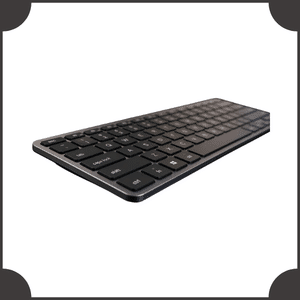
Scissor-Switch Keyboard
A scissor-switch keyboard uses a scissor-shaped stabilizing mechanism beneath each key. This design provides controlled key movement and is commonly used in laptops and slim keyboards.
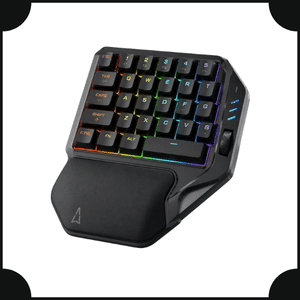
One-Handed Keyboard
A one-handed keyboard is designed to be operated primarily with one hand. It usually has a compact arrangement of essential keys and may include programmable controls.
Adaptive Keyboard
An adaptive keyboard provides specialized input options for users with different accessibility needs. It may include larger keys, custom layouts, programmable controls, or alternative switching mechanisms.
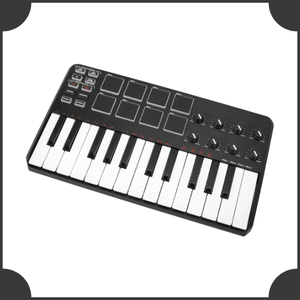
MIDI Keyboard
A MIDI keyboard is a musical controller that sends MIDI data to computers, synthesizers, and other compatible equipment. It commonly uses piano-style keys for controlling digital instruments.
Types of Keyboards by Connection
Wired Keyboards
Wired keyboards use a physical cable. USB is a common connection for modern computer keyboards.
Wireless Keyboards
Wireless keyboards communicate without a traditional data cable. Bluetooth and dedicated wireless receivers are common technologies.
Types of Keyboards by Key Mechanism
Membrane Keyboards
Membrane keyboards use flexible membrane layers beneath their keys to detect key presses. They are commonly designed for everyday typing and general computer use.
Mechanical Keyboards
Mechanical keyboards use individual mechanical switches beneath each key to register presses. Different switches can provide distinct levels of tactile feedback, resistance, and sound.
Types of Keyboards by Size
Keyboard size is another common classification.
Full-Size Keyboard
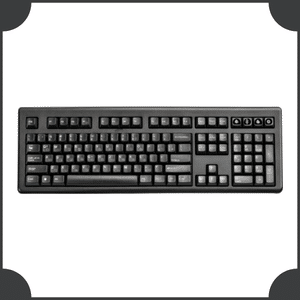
A full-size keyboard includes the main typing area, function keys, navigation keys, arrow keys, and usually a dedicated numeric keypad, providing a complete traditional keyboard layout.
Mini Keyboard
A mini keyboard is a small, portable keyboard designed to occupy less space than standard models. Its reduced layout makes it useful for travel, compact workspaces, and specialized devices.
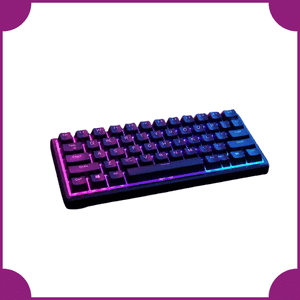
Tenkeyless Keyboard
A tenkeyless keyboard is a compact keyboard that removes the separate numeric keypad, creating a smaller layout while keeping the main typing and navigation keys.
Compact Keyboard
A compact keyboard has fewer dedicated keys than a full-size keyboard, reducing its overall size and saving desk space while retaining the essential keys needed for typing.
Types of Keyboard Layouts
Keyboard layout refers to how letters and other keys are arranged.
QWERTY Keyboard
QWERTY is one of the most widely used keyboard layouts. The name comes from the first six letters on the top letter row: Q – W – E – R – T – Y

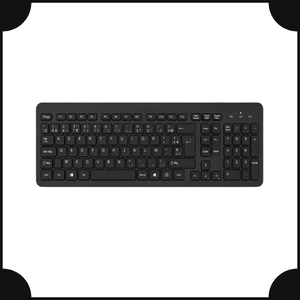
AZERTY Keyboard
AZERTY is used in some French-speaking regions. Its name comes from the first six letters of its top letter row.
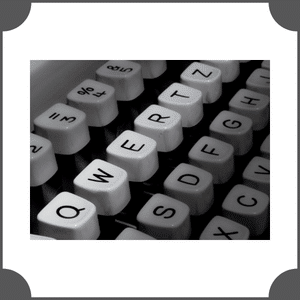
QWERTZ Keyboard
QWERTZ is common in some German-speaking and Central European regions. The positions of Y and Z differ from those on a standard QWERTY layout.
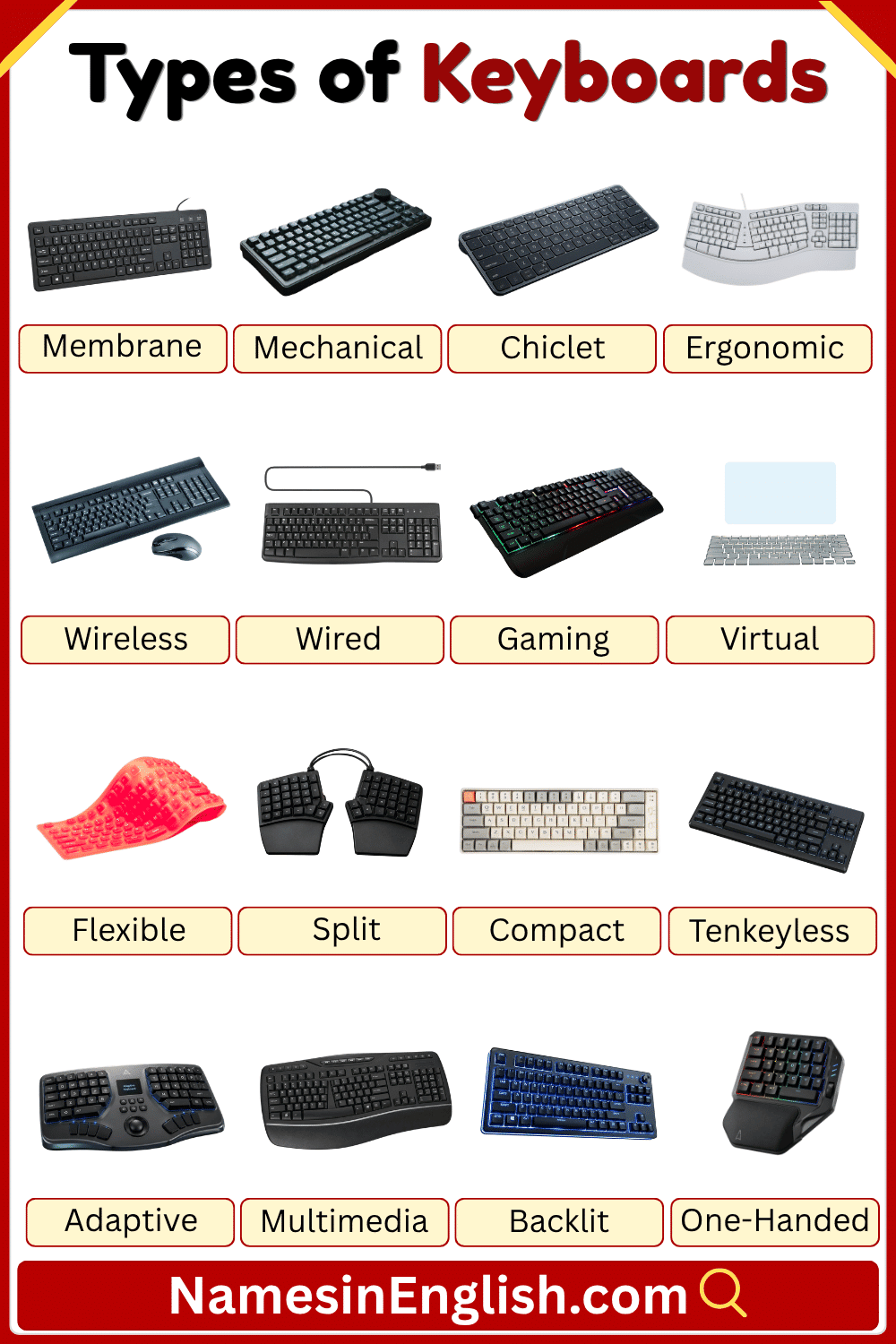
Main Types of keyboards with pictures and Names
Important Parts of a Keyboard
Understanding the parts of a keyboard makes it easier for beginners to use one.
Alphanumeric Keys
These include letters and numbers.
Examples:
- A
- B
- C
- 1
- 2
- 3
Function Keys
Function keys are usually labeled F1 through F12 on many standard keyboards.
Their exact functions can depend on the operating system or software.
Arrow Keys
Arrow keys help move the cursor or selection:
- Up
- Down
- Left
- Right
Spacebar
The spacebar creates a blank space between words.
Enter Key
The Enter key can create a new line, confirm a command, or perform different actions depending on the software.
Shift Key
The Shift key is commonly used to type uppercase letters and access alternate symbols.
Ctrl Key
The Control or Ctrl key is used in many keyboard shortcuts. For example, Ctrl + C commonly copies selected content on Windows and many other systems.
Backspace Key
Backspace removes characters to the left of the cursor in many text-entry situations.
Delete Key
The Delete key commonly removes characters or selected objects in different software environments.
Frequently Asked Questions About Types of Keyboards
How many types of keyboards are there?
There is no single official number because keyboards can be classified in different ways. They can be grouped by mechanism, size, connection, layout, purpose, or physical design.
What is the most common type of keyboard?
QWERTY keyboards are among the most common keyboard layouts, while membrane and mechanical keyboards are common examples of keyboard mechanisms.
What is a mechanical keyboard?
A mechanical keyboard uses individual mechanical switches underneath its keys. Different switches can provide different levels of sound, resistance, and tactile feedback.
What is a membrane keyboard?
A membrane keyboard uses membrane layers to detect key presses. It is commonly used for everyday computer tasks.
What is a wireless keyboard?
A wireless keyboard connects to a device without a traditional data cable, commonly through Bluetooth or a wireless receiver.
What is a virtual keyboard?
A virtual keyboard is a software-based keyboard displayed on a screen. Smartphones and tablets commonly use virtual keyboards.
Which keyboard is best for gaming?
A gaming keyboard can be a good choice for gaming because it may provide features such as programmable keys, gaming-focused layouts, backlighting, and different switch options. The best choice depends on the player’s preferences.
What is the difference between QWERTY and AZERTY?
QWERTY and AZERTY are different keyboard layouts. The arrangement of some letters and other keys differs between them.
Conclusion
Keyboards come in many different types, sizes, layouts, and designs. Mechanical, membrane, ergonomic, wireless, gaming, virtual, flexible, compact, and laptop keyboards are just some common examples. A keyboard can also belong to several categories at the same time. For example, one keyboard can be mechanical, wireless, compact, and backlit. Understanding these differences makes it easier to choose the right keyboard for typing, gaming, schoolwork, office tasks, travel, programming, or specialized use. By learning the names, features, layouts, parts, and uses of different keyboards, beginners can build a clear and useful understanding of this everyday computer input device.
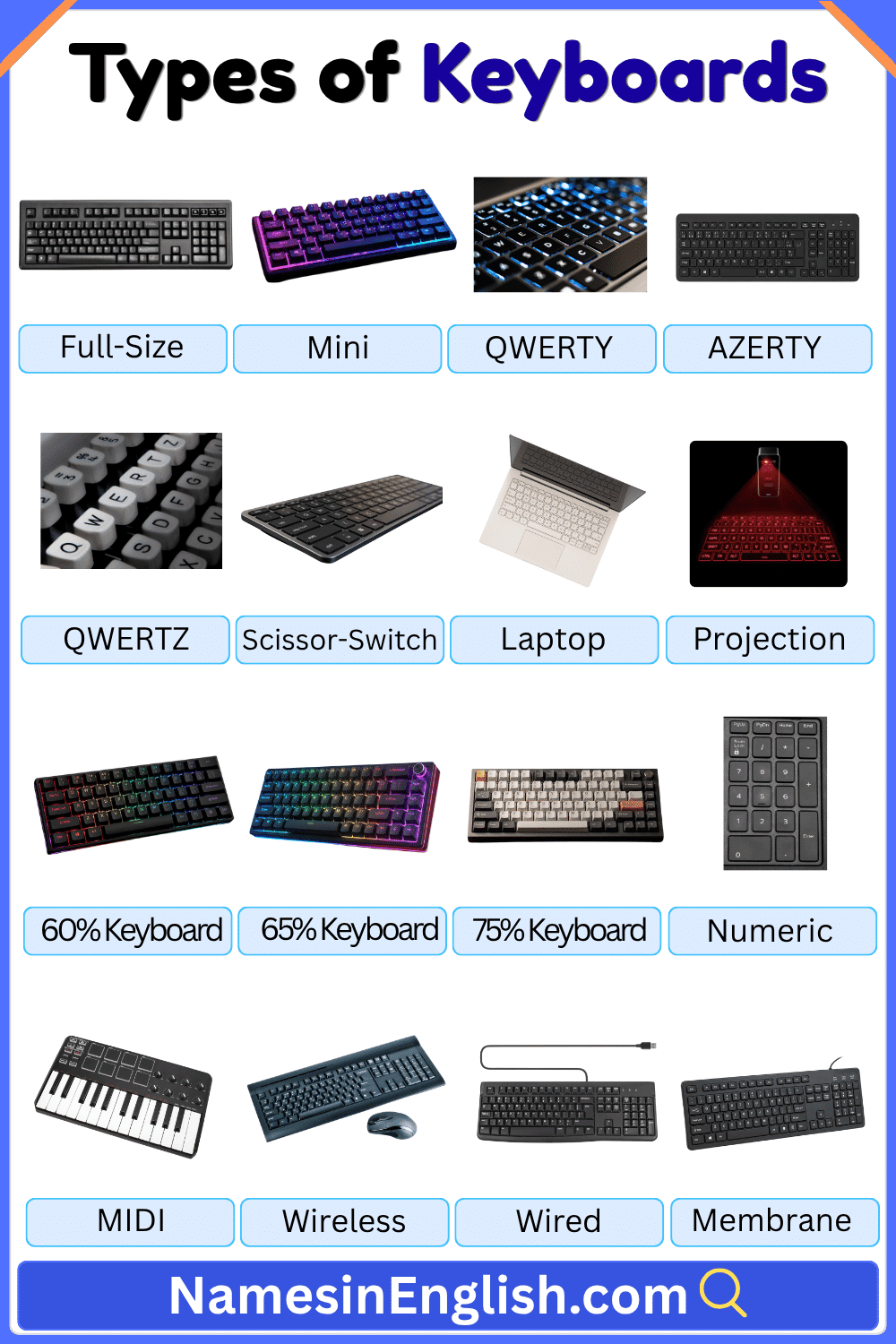
Keyboards types with pictures and Names
Learn More Helpful Articles